Personal-Wikipedia
Running Wikipedia off a USB
I setup a USB to read Wikipedia offline! Mine works on both Windows and Linux. But this works on basically every OS.
It’s remarkably simple to do! The process is supported by Wikipedia, in principle and practice. Wikipedia even has a page for downloading database dumps.
All you need is a suitably sized USB, a computer, and an internet connection.
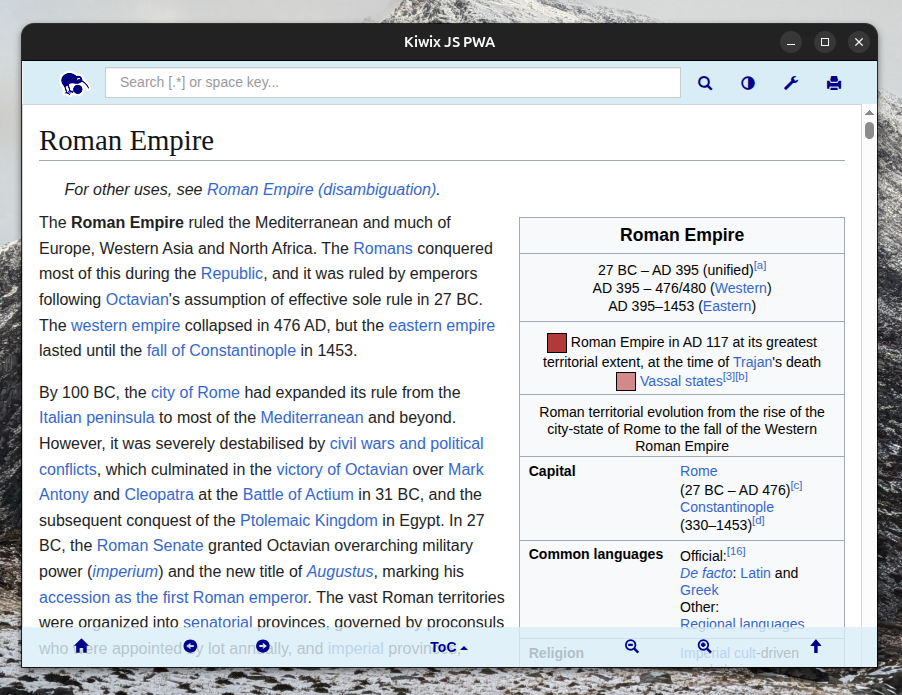
To make offline wiki-reading easy I used Kiwix, FOSS designed for exactly this.
Doing it! High Level
The USB I used has 128GB USB storage. This is ENOUGH, but I cannot recommend any lower than 64 GB. The USB needs to have more than enough space to fit the Wikipedia dump.
The high level description is to:
- Format your USB drive
- Download Kiwix
- Download the Wikipedia dump
- Enjoy the spoils of your labour
Format USB
Every USB that I’ve bought has been formatted FAT32 out-of-the-box. This has to be fixed immediately.
Because FAT32 has a maximum single file size of 4 GB, which is much too low as the wikipedia dump is a single very large file (mine was 47 GB but they go higher).
For simplicity, format it as NTFS using your system utilities. This works natively on Windows. Linux can also read NTFS drives with additional tooling but it’s a pain.
Downloading Kiwix
https://get.kiwix.org/en/solutions/applications/download-options/
The version of Kiwix I chose was the JS-electron version. This is so that it was: 1) Widely compatible with different devices and 2) Could run in isolation (without additional packages).
For Linux I installed the “App Image” and for Windows the “.exe” versions. I work with both OSs so I installed both.
Choice of Wikipedia Dump
The Wikipedia “dump” I used has a size of 47 GB. It is:
- English
- All Articles
- No images (saves a lot of space)
You can pick something else but this ticks all my boxes for “approximate sum of human knowledge”.
Spoils of Labour
Then enjoy Wikipedia in any PC you can plug in your USB to! No internet. No downloads.
Why might you do this?
While Wikipedia (as an encyclopedia and aggregator) is no authority on information, its articles are human-written and undergo a significant review and revision process.
Large language models (LLMs) and what is currently labelled as “AI” are not authorities on any information either, however they are known to present themselves confidently as such.
LLM’s accessibility has also simplified text generation en masse of basic articles. This then led to the automation of blogs. These small blogs used to be cottage industries of passionate individuals in specific fields. Leading to excellent answers to domain-specific questions in search results (from engines like Google, Bing). These sites are now flooded with AI-generated blogs with limited oversight farming for clicks. And thus, dubious results in comparison to those experts.
Jumping straight to Wikipedia cuts out the dubious AI flood – when you know what you’re looking for!
Notes on Wikipedia & the Wikimedia Foundation
I think the mission of Wikipedia is highly honourable. I can’t think of an argument against it. And you should too!
Incase you weren’t aware – they’re a non-profit. Wikipedia are unlike your typical technocratic overlords. They exist solely for the sharing of knowledge.
Not-Just-Wikipedia
Did you know that Wikipedia has a bunch of other things going on too?
It is ran by the WikiMedia Foundation
Some projects (full list):
- wikicommons (open-use image, video, music)
- wikitionary (open dictionary)
- wikibooks (open-use books)
- wikidata (open-use wiki data)
Use Wikipedia Directly:
Small note. Search directly in Wikipedia (not your search engine!)
Wikipedia is my browser “Home Page” bc fr I often open my browser to look things up and wikipedia has the answers.
Donating:
Wikipedia needs money to run. They do have 24/7 servers and full-time staff. The money is low given the scope of their work.
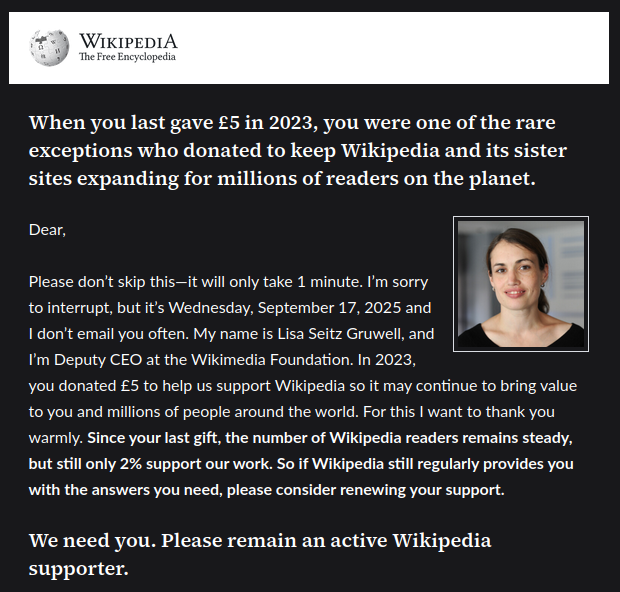
If you think people should have access to information and have the capacity to donate, please do so. I have donated.
They live off of donations (as they continue to remind me…).
I would go on but they already have a 7 Reasons to Donate article.